Salisbury University |  Instructional Design & Delivery Newsletter | January 7, 2026

Instructional Design and Delivery: News and Events

Register for Teaching & Learning Conference

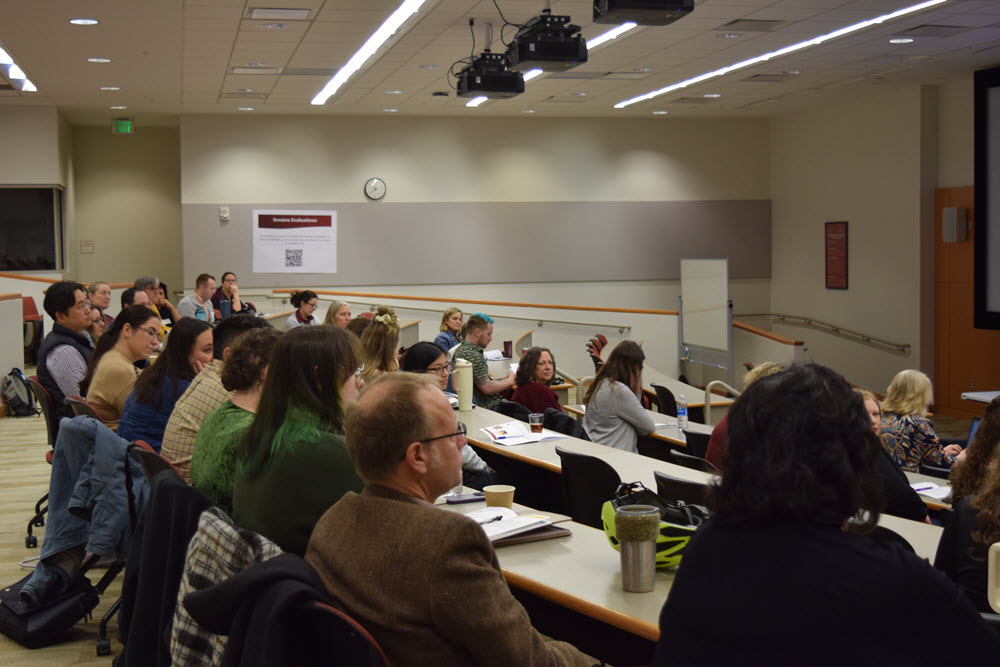
 Classroom auditorium full of staff and faculty for Teaching and Learning Conference.

To commemorate SU's Centennial, consider registering for the 16th Annual Teaching & Learning Conference and the launch of the "Creative and Scholarly Accomplishments: SU Faculty and Staff Collection," which will take place on Friday, February 6.


The conference brings together teacher-scholars from across campus to share and discuss teaching innovations and best practices. Join us in Perdue Hall from 8:30 a.m. to 4:00 p.m. for dynamic sessions led by a variety of SU's faculty and staff. 


Dr. Xiaohong Wang, 2025 SU Distinguished Faculty Award recipient, will deliver the keynote presentation. The tentative schedule of sessions is available online. Session locations and times are subject to change.


Immediately following, please join us for the TLC poster session and the launch of the new "Creative and Scholarly Accomplishments: SU's Faculty and Staff Collection" in a Faculty Friday- style celebration. The new collection features colleagues' books and creative works, with additional publications coming soon. This part of the event will be located in Holloway Hall, Great Hall and Social Room from 4:00 p.m. to 6:00 p.m.


Register for the conference and/or Faculty Friday by Thursday, February 5!

Digital Accessibility Spring Cleaning Event

USM Digital Accessibility Spring Cleaning

Salisbury University (SU), the University of Maryland Eastern Shore (UMES) and Wor-Wic Community College are teaming up with the University System of Maryland (USM) to support faculty and staff in digital accessibility by hosting Spring Cleaning virtual sessions on Jan. 8-9, 2026.


Whether you're a faculty member preparing courses or a staff member managing shared resources, Spring Cleaning offers the perfect opportunity to ensure digital content is accessible to everyone. This two-day event will include USM-led learning sessions via Zoom, open to all Maryland faculty and staff, as well as virtual sessions collaboratively hosted by SU, UMES, and Wor-Wic. Together, participants will work to create a more accessible USM system one document, one slide, and one course at a time.


See the schedule below for event times and registration information. Events shown in blue are hosted by USM, and events shown in maroon are hosted by SU, UMES, and Wor-Wic. Click each session to register. Registration is not required for drop-in office hours.

Friday, January 9


Drop-in sessions for this event are hosted through the USM, where you can talk with peers across institutions.

Throughout this event, you are encouraged to participate in the USM KCAI LinkedIn campaign using #USMSpringCleaning to share tips, offer encouragement, and celebrate progress!

Important Dates for Spring 2026 Sessions

As we prepare for the spring 2026 sessions, ID&D shares some important dates to consider for spring sessions:

  • MyClasses Combine Sections Request deadlines:
    • Regular session & 7W1 session: Friday, January 16
    • 7W2 session: Monday, March 9
     
  • Student Access to MyClasses courses (if published by instructor):
    • Regular session & 7W1 session: Monday, January 19
    • 7W2 session: Monday, March 16
     
  • Start of sessions: 
    • Regular session & 7W1 session: Monday, January 26
    • 7W2 session: Monday, March 23
     
  • Drop/Add Dates:
    • Regular session: January 26-30
    • 7W1 session: January 26-27
    • 7W2 session: March 23-24
     
  • Inclusive Access opt-out date for students:
    • Regular session & 7W1 session: Wednesday, February 4
    • 7W2 session: Wednesday, March 25


Video Tip: Importing Course Content  

Faculty Video Tip: Importing Course Content in MyClasses Canvas

When importing course content from one semester, you can also clean up your course of old and unused content (especially if you use Modules). Use the select specific content option, instead of all content and select the recommended options:


  • Course Settings: Maintains course settings, course navigation, and home page
  • Syllabus Body: Maintains content added to the syllabus page above the course schedule
  • Modules: Maintains use of modules and is the catalyst for all linked content (assignments, discussions, quizzes, pages, and files)
  • Assignments: Maintains course assignments, including New Quizzes
  • Discussion Topics: Maintains online discussions
  • External Tools: To ensure any integrations are maintained, including SCORM content and custom navigation items from the Redirect tool
  • Rubrics: Maintains grading rubrics associated with graded activities


All other items, such as Pages, Files, and Calendar Events, do not need to be selected if you are using Modules. Modules will automatically import these items if they are included in the course - thus, a great way to clean up your course!

UDOIT Accessibility Check: 89% Average Rating

In October, Instructional Design & Delivery launched the UDOIT Accessibility Check tool in MyClasses to help individuals check their course for digital accessibility. Common digital accessibility concerns, including descriptive links, headings and page structure, color contrast, closed captions for videos, and accessible documents are identified in the report. 


As of January 5, all Winter 2026 courses were scanned, resulting in an average score of 89%.


Now that the spring semester is approaching, we encourage faculty to copy over their course content and run the UDOIT Accessibility Check in preparation for the upcoming semester and the DOJ April 24, 2026 deadline.


How to use UDOIT:


  1. In your MyClasses course, click UDOIT Accessibility Check from the course menu to start a scan of your course.
  2. Select Home to see your report and expand the high-, medium-, and low-impact areas of the scorecard to review issue types.
  3. Click an issue type to explore the specific artifacts in the course with issues.
  4. Next to the item, click Review to receive details of what was flagged as a digital accessibility issue, along with instructions on how to fix it (often directly within the tool).
 
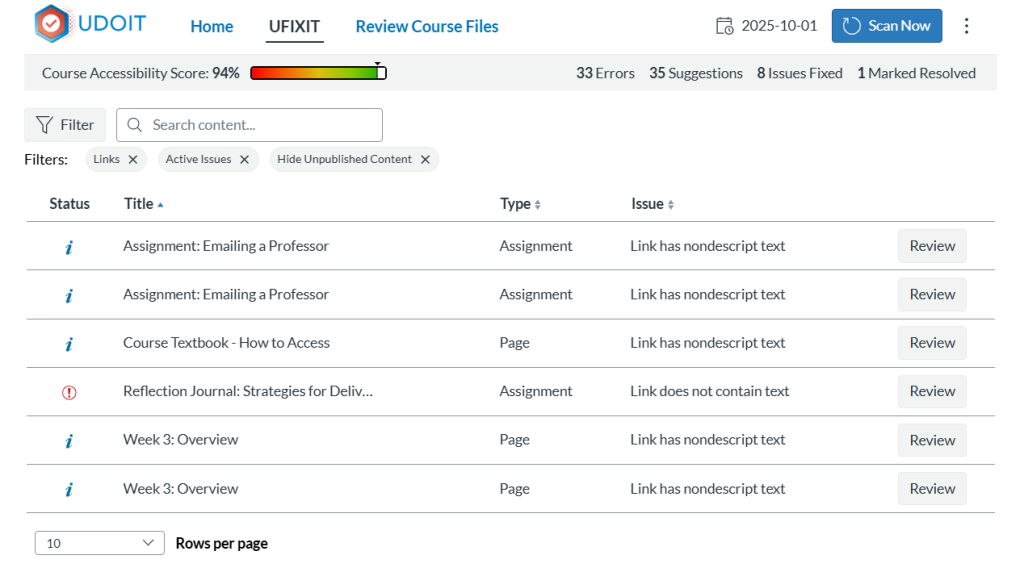
UDOIT report identifying six areas in the course where links

Partner with your Instructional Designer liaison and schedule a consultation. We are here to help! Additional information on how to use UDOIT is available in the user guide.

UDOIT User Guide

Digital Accessibility Pop-Up Support

During the week of January 12-16, we invite faculty and staff to join our Digital Accessibility Pop-up Support sessions right in your academic building for hands-on, in-person support from an Instructional Designer. Can't attend in-person, look for our virtual sessions. These informal sessions are a great opportunity to bring your device and learn how to implement accessibility best practices in your digital materials.

USM Digital Accessibility Remediation Sprints

The University System of Maryland (USM) is hosting a series of monthly Digital Accessibility Remediation Sprints. Hosted on Zoom, the Sprints are a cornerstone of the USM Digital Accessibility Initiative that is underway this academic year to help all USM schools meet the April 2026 Title II compliance date for fully accessible digital content and platforms. These sessions are open to all Maryland Higher Education colleagues, including faculty, staff, administrators, and teaching/graduate assistants.


Each month, a Sprint will delve into one of the 6 Essential Steps for Digital Accessibility. These Remediation Sprints will take place on Mondays between 2-3 pm ET. The Sprint will include a brief overview of that month's step, followed by active work time to remediate your own documents.


Below is the remaining Remediation Sprint schedule for 2026:


Need Assistance?

Ways to get help:

♦ Search our ID&D Knowledge Base

♦ Submit a Help Request

♦ Contact your Instructional Designer 

♦ Schedule a Virtual Appointment

Visit & Follow Us

Department Information:

W: salisbury.edu/instructionaldesign

E: suidd@salisbury.edu

O: Guerrieri Academic Commons, 220

P: 410-677-6585

Instructional Design and Delivery YouTube
Instructional Design and Delivery  X (formerly Twitter)
Instructional Design and Delivery Workshop Calendar
Salisbury University Logo

SU is an Equal Opportunity/AA/Title IX university and provides reasonable accommodation given sufficient notice to the University office or staff sponsoring the event or program. For more information regarding SU's policies and procedures, please visit salisbury.edu/equity.


View Online