Salisbury University |  Instructional Design & Delivery Newsletter | November 18, 2025

Instructional Design and Delivery: News and Events

Call for Proposals: 16th Annual Teaching & Learning Conference

staff & faculty attend a conference in an auditorium classroom during a Teaching and Learning conference

Mark your calendars for Friday, February 6, 2026, as SU hosts our annual Teaching & Learning Conference (TLC) from 8:30 a.m. to 5 p.m.
 
The annual SU TLC brings together teacher-scholars across campus to share and discuss teaching innovations and best practices. A call for proposals is currently open for 20-minute sessions, 40-minute sessions, panel discussions (up to four presenters), or poster presentations on a variety of themes related to the scholarship of teaching and learning. 


Potential topics include, but are not limited to:

  • Current Trends (e.g., Artificial Intelligence, High-Impact Practices)
  • General Education
  • Innovative teaching strategies
  • Inclusive pedagogy (Diversity, Equity, and Belonging)
  • Culturally responsive and anti-racist pedagogy
  • Online, remote, and hybrid learning best practices
  • Promoting student wellness and sense of mattering (e.g., pedagogical partnerships of students & instructors)
  • Strategies for Student Success
 

The deadline to submit your session proposal is Monday, December 8, 2025.

Cristea Presents at College Reading & Learning Association Conference

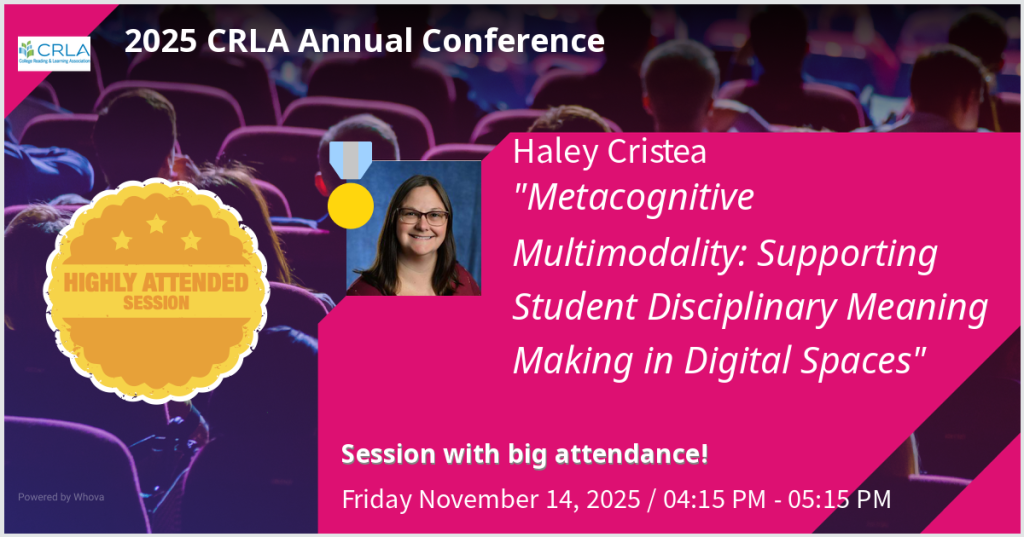
2025 CRLA Conference; Friday Nov 14, 2025, 4:15pm-5:15pm: Haley Cristea presents "Metacognitive Multimodality: Supporting Student Disciplinary Meaning Making in Digital Spaces" Highly Attended Session badge.

Dr. Haley Cristea recently presented a Wise Practice session at the annual College Reading and Learning Association (CRLA) conference on the topic "Metacognitive Multimodality: Supporting Student Disciplinary Meaning Making in Digital Spaces." This session was highly attended with an engaged audience who were actively making connections about pedagogical strategies for scaffolding disciplinary meaning making through metacognitive multimodality in a variety of teaching and tutoring spaces. Additionally, this session highlighted how intentional application of multimodal literacies during the development or revision of instructional, training, and tutoring materials directly supports Universal Design for Learning (UDL) principles and can integrate directly into a Backward Design framework. Want to learn more? Dr. Cristea is happy to work with anyone interested in developing their own multimodal literacy practices!

November Workshop: Practice & Play 

Practice and Play with AI

Instructional Design & Delivery (ID&D) will be hosting a series of hands-on workshops that give you the opportunity to explore AI tools for specific purposes. Designed to help you integrate emerging tools into your teaching practice, each session focuses on practical, adaptable strategies for enhancing activities you already use—making your courses more engaging, efficient, and future-ready. No prior experience with AI is required—just curiosity and a willingness to experiment.


Date & Time: November 19, 1:30-2:30 p.m.

Workshop 5: Design & Delight AI-Powered Creative Activities

Facilitator: Karen Silverstrim

Sign up today! In-person (limit 15) at AC 221 (ID&D Faculty Studio)

Video Tip: Importing Course Content  

Faculty Video Tip: Importing Course Content in MyClasses Canvas

When importing course content from one semester, you can also clean up your course of old and unused content (especially if you use Modules). Use the select specific content option, instead of all content and select the recommended options:


  • Course Settings: Maintains course settings, course navigation, and home page
  • Syllabus Body: Maintains content added to the syllabus page above the course schedule
  • Modules: Maintains use of modules and is the catalyst for all linked content (assignments, discussions, quizzes, pages, and files)
  • Assignments: Maintains course assignments, including New Quizzes
  • Discussion Topics: Maintains online discussions
  • External Tools: To ensure any integrations are maintained, including SCORM content and custom navigation items from the Redirect tool
  • Rubrics: Maintains grading rubrics associated with graded activities
 

All other items, such as Pages, Files, and Calendar Events, do not need to be selected if you are using Modules. Modules will automatically import these items if they are included in the course - thus, a great way to clean up your course!

UDOIT Accessibility Check: 83% Average Rating

In October, Instructional Design & Delivery launched the UDOIT Accessibility Check tool in MyClasses to help individuals check their course for digital accessibility. Common digital accessibility concerns, including descriptive links, headings and page structure, color contrast, closed captions for videos, and accessible documents are identified in the report. 


As of November 8, we are excited to see that 144 Fall 2025 courses across nineteen disciplines have scanned their courses with an average score of 83%.


Now that Winter and Spring courses are created, we encourage faculty to copy over their course content and run the UDOIT Accessibility Check in preparation for the upcoming semesters.


How to use UDOIT:


  1. In your MyClasses course, click UDOIT Accessibility Check from the course menu to start a scan of your course.
  2. Select Home to see your report and expand the high-, medium-, and low-impact areas of the scorecard to review issue types.
  3. Click an issue type to explore the specific artifacts in the course with issues.
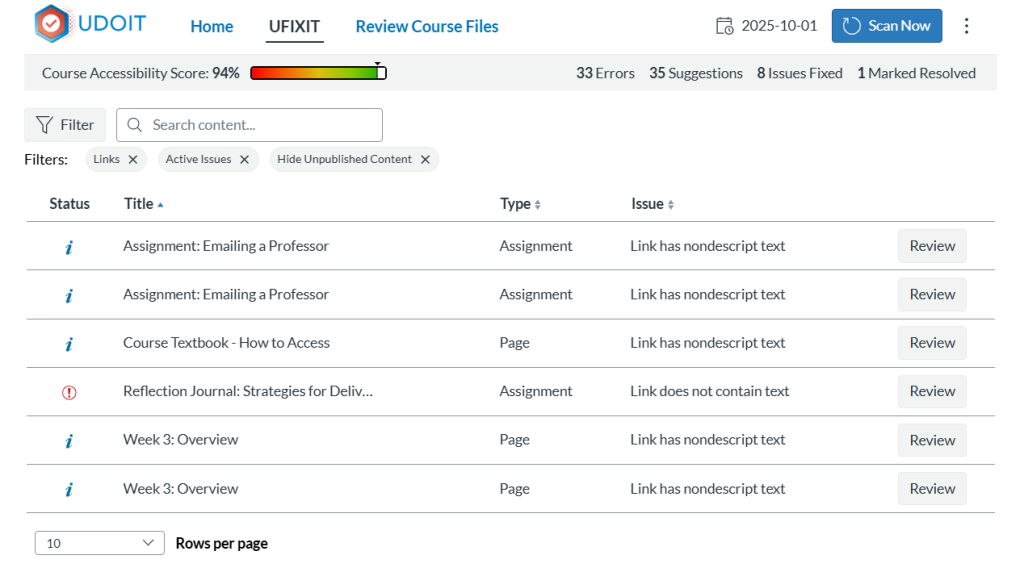
  4. Next to the item, click Review to receive details of what was flagged as a digital accessibility issue, along with instructions on how to fix it (often directly within the tool).
UDOIT report identifying six areas in the course where links

Partner with your Instructional Designer liaison and schedule a consultation. We are here to help! Additional information on how to use UDOIT is available in the user guide.

UDOIT User Guide

Need Assistance?

Ways to get help:

♦ Search our ID&D Knowledge Base

♦ Submit a Help Request

♦ Contact your Instructional Designer 

♦ Schedule a Virtual Appointment

Visit & Follow Us

Department Information:

W: salisbury.edu/instructionaldesign

E: suidd@salisbury.edu

O: Guerrieri Academic Commons, 220

P: 410-677-6585

Instructional Design and Delivery YouTube
Instructional Design and Delivery  X (formerly Twitter)
Instructional Design and Delivery Workshop Calendar
Salisbury University Logo

SU is an Equal Opportunity/AA/Title IX university and provides reasonable accommodation given sufficient notice to the University office or staff sponsoring the event or program. For more information regarding SU's policies and procedures, please visit salisbury.edu/equity.


View Online