Salisbury University |  Instructional Design & Delivery Newsletter | January 28, 2020

Instructional Design & Delivery

News & Events

Start-of-the-Semester Checklist

Review the Start-of-the-Semester Checklist for information about setting up your MyClasses course, which includes:

  • Tips for faculty to set up their MyClasses course for the first time. 
  • Instructions and Tip of the Week video on Importing Course Content from a previous semester. 
  • After importing content, setting up course to reuse Panopto recordings, refresh Respondus LockDown Browser settings and setting up Turnitin Assignments with the Canvas Plagiarism Framework tool. 
  • And more … 
 

Register for the Teaching and Learning Conference

Registration is now open for the 10th Annual Teaching and Learning Conference to be held on Friday, February 21, in Perdue Hall from 8:30 a.m. to 5 p.m. The goal of this conference is to bring together teacher-scholars from across campus to share and discuss teaching innovations and best practices. In addition to dynamic workshops and sessions led by a variety of SU’s faculty and staff, Distinguished Faculty Award recipients deliver keynote presentations. 


The theme of this year's conference is: Looking Back, Moving Forward: Celebrating 10 Years of the TLC. Join us in celebration of the 10th anniversary of the Teaching and Learning Conference and its impact at SU! 


Register for the conference by Monday, February 17!

Meet the NEW TurningPoint Web Dashboard!

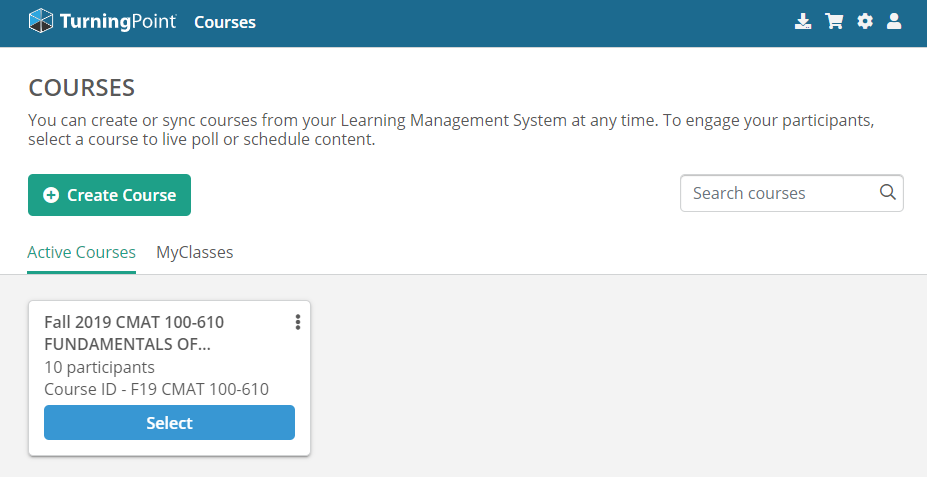
TurningPoint web dashboard listing Active Courses associated with TurningPoint and a MyClasses section to select additional courses to make Active in TurningPoint web.

The TurningPoint dashboard is the interface where instructors access and update their TurningPoint course rosters (a.k.a. participant lists), send reminders to students about Turning account creation through the MyClasses integration and more.

The dashboard recently was updated in January 2020. Review our instructions on how to Add and Remove courses, email students, review and revise reserved session IDs, and more from ID&D’s TurningPoint (Clickers) knowledgebase articles.

Introducing the ID&D Support Center

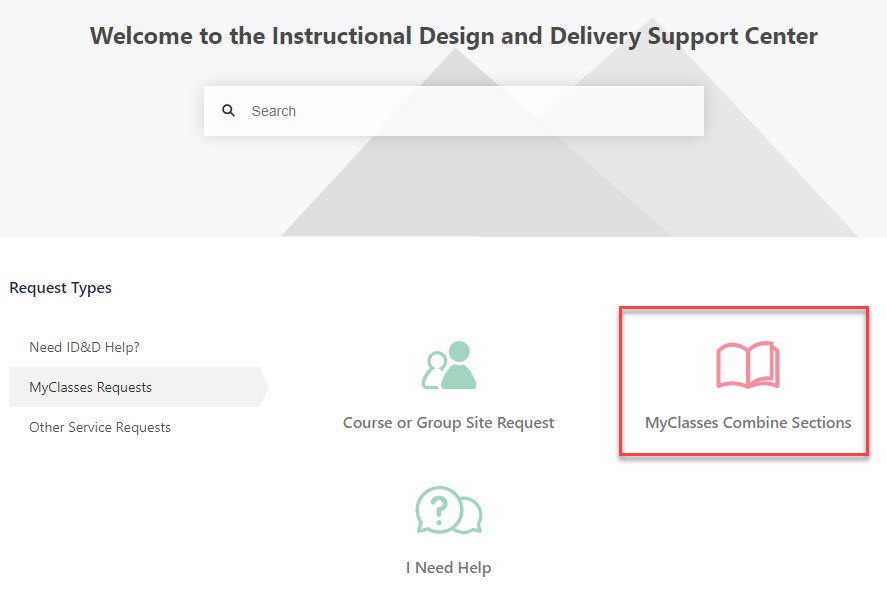
The ID&D Support Center landing page with Request Types for "I Need Help," "MyClasses Requests," and "Ohter Service Requests"

Need assistance with MyClasses, Panopto or other instructional software? Have a video that needs closed captioning? Want to work with an instructional designer on developing a course for an upcoming semester? Please visit our new Instructional Design and Delivery Support Center (iddsupport.salisbury.edu) to initiate requests for help and service from the campus instructional designers.

Teaching Tip Tuesday - Give Your Course Purpose

Help Your Students Connect the Dots - #TeachingTipTuesday

The beginning of the semester is the ideal time to help students understand why your course is important and how the content will be relevant to them so that they are excited to spend time and effort in your course. Once the student decides they want to learn the course content, they are more likely to engage with the learning opportunities you provide!

Check out the ID&D Engaging Your Students From the Start article for strategies to incorporate in your classroom.

Visit & Follow Us

ID&D Office: 

Guerrieri Academic Commons 220


Faculty Studio

Guerrieri Academic Commons 221

View Online

Twitter
Youtube
Salisbury University Logo

SU is an Equal Opportunity/AA/Title IX university and provides reasonable accommodation given sufficient notice to the University office or staff sponsoring the event or program. For more information regarding SU’s policies and procedures, please visit www.salisbury.edu/equity.