Salisbury University |  Instructional Design & Delivery Newsletter | September 7, 2021

Instructional Design & Delivery

News & Events

Faculty Spotlight - Andrea Suk

It all starts with an idea and a conversation! 


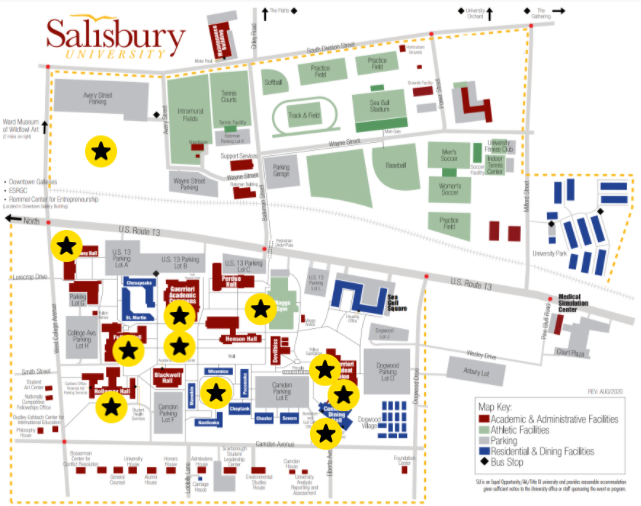
If you have an idea, ID&D can help you brainstorm, test resources, and plan for content or assignments you want to use in your course. An excellent example is the idea that Dr. Andrea Suk brought to ID&D, seeking tools that could aid in the development of an interactive map. 

After consulting with ID&D, Dr. Suk decided to move forward on a class project with her SCED 367 students using ThingLink. From there, she and her students worked diligently to create an interactive and engaging map of SU that provides an alternative solution to local schools desiring campus tours of Salisbury University for students with disabilities.  

From their work, Dr. Suk's SCED 367 students won the 2021 Student Group President’s Diversity Champion Award, have been accepted to an international special education conference to present their preliminary findings from this project, and a group of students have been CITI trained and are now working with Dr. Suk on a research project. If you would like to be contacted about participation in this study, please complete this survey.

"I cannot thank the ID&D team enough for their support and guidance! When I first reached out, I knew my students would be making videos but wanted a platform to display the videos in a fun, interactive, and accessible way. After brainstorming a few different options, Haley shared a ThingLink image she had created. It was through her model and assistance, we were able to build our own ThingLink Image. Students even commented how they were previously unaware of this resource and hope to use it again in their future classrooms! Our ID&D team is committed to being on the forefront of educational resources and dedicated to collaborating with faculty to ensure our innovations are not limited – I cannot thank them enough!!" - Dr. Suk

ID&D congratulates Dr. Suk and her students on their hard work, success and opportunities their innovation and passion have led to! 


Have an idea of your own? ID&D invites you to start a conversation and see how we can help you support your vision! One conversation can lead to great things!


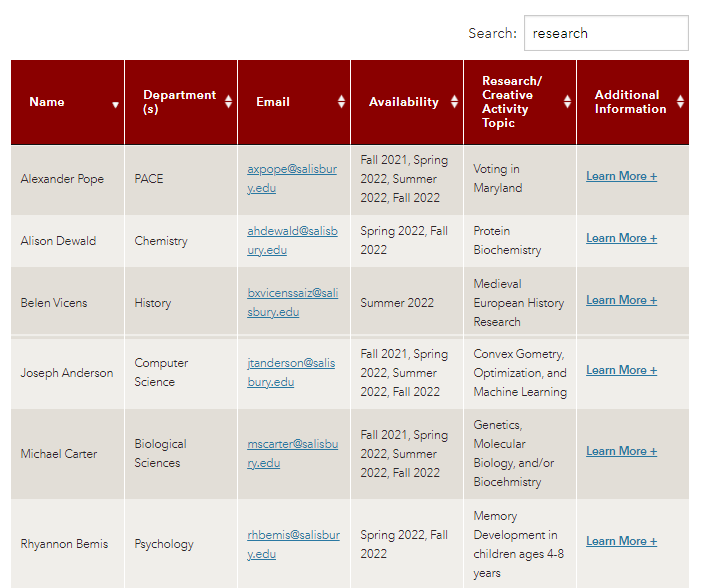
OURCA's Research and Creative Activity Directory

The Office of Undergraduate Research and Creative Activity (OURCA) has launched a brand new Research and Creative Activity Directory for faculty and students. The purpose of this directory is for faculty to provide potential research/creative activity opportunities for students to search in a central location. Students can then search by department, semester, or key terms for opportunities.

What is SUCCEED?

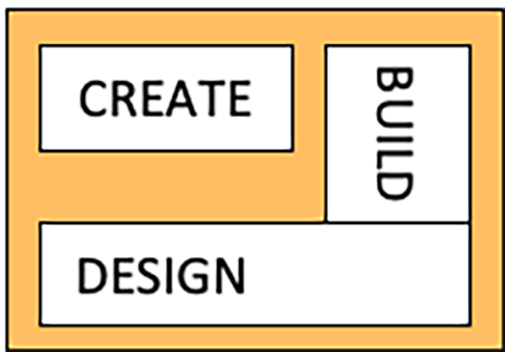
New Quizzes Build layout in MyClasses


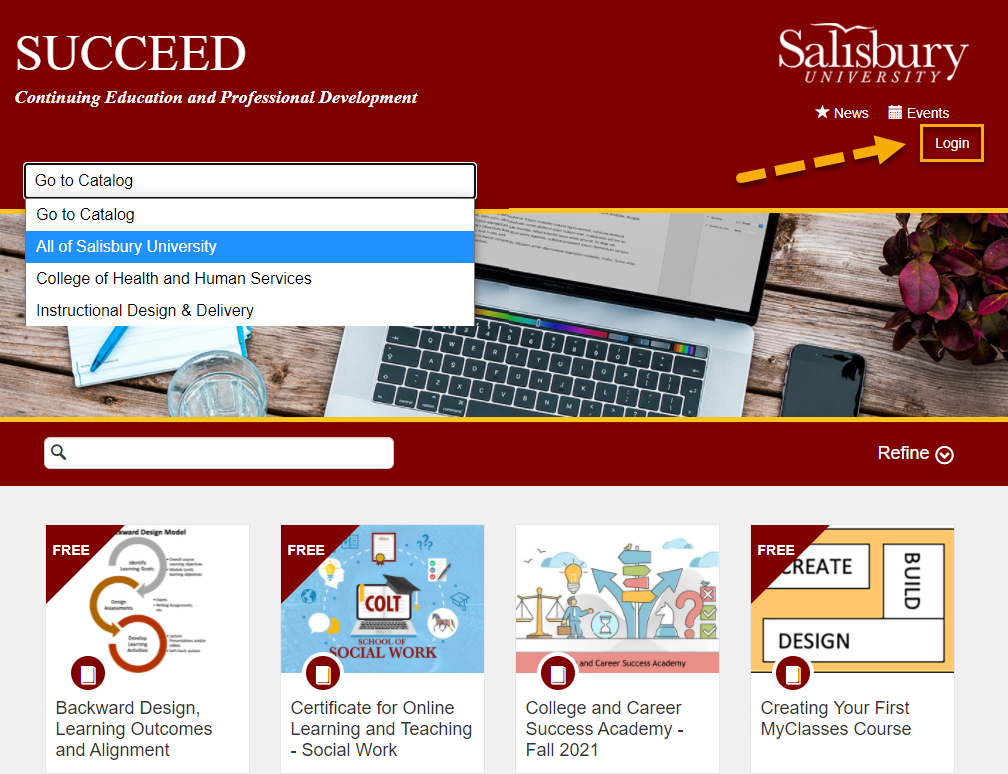
SUCCEED is Salisbury University’s branded public facing collection of hybrid or online continuing education, professional development or free/affordable non-credit courses. SUCCEED works in tandem with MyClasses Canvas (where each listing corresponds with a Canvas course shell) and can facilitate course completion certification. Offerings in SUCCEED are directed to a variety of audiences – both internal and external to Salisbury University.  
ID&D will be highlighting various professional development courses over the next several newsletters. 


Pro Tip: If you have an SU account, use the Login option first before enrolling into any SUCCEED listings. 

Creating Your First MyClasses Course


Professional development opportunity in SUCCEED for people not familiar with or comfortable with MyClasses.


This self-paced course will introduce you to the basic elements of the MyClasses platform. This course will help you learn how to use the ID&D course template (optional). It will teach you how to use the Rich Content Editor, create announcements, upload documents, and link to websites, among other features. You will learn all the basic tools needed to create a course in MyClasses.


The information is delivered in a clear manner for people with no computer background, or for those not comfortable working with computers. There are no deadlines to meet. You may start and stop as needed, or you can jump in and learn just the areas you need help with. This course is set up like a reference tutorial. The goal of this course is to help you understand the basics and feel confident with what you learn.

Using TurningPoint - Checklist for in the Classroom

Using TurningPoint this semester? Here are some quick steps to successfully run a PowerPoint Polling session using TurningPoint.


Before Class:

  1. Enable the TurningPoint Registration link on the course navigation menu in MyClasses.
  2. Activate the course on your TurningPoint Account Dashboard.
  3. Create interactive slides for the polling session.

In-class: Starting TurningPoint in the Classroom

  1. Start the TurningPoint App (Classic or Web) on the classroom instructor computer.
  2. Sign in your Turning Account.
  3. Click PowerPoint Polling.

PowerPoint will start with the TurningPoint add-in enabled.

{Note: Make sure PowerPoint is not open before you start TurningPoint.}


For guides on how to complete the above steps and more, please visit the ID&D Knowledge Base.

New in MyClasses - Two Ways to Adjust Dates

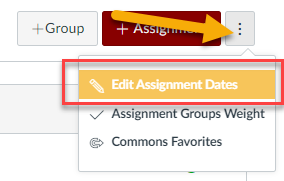
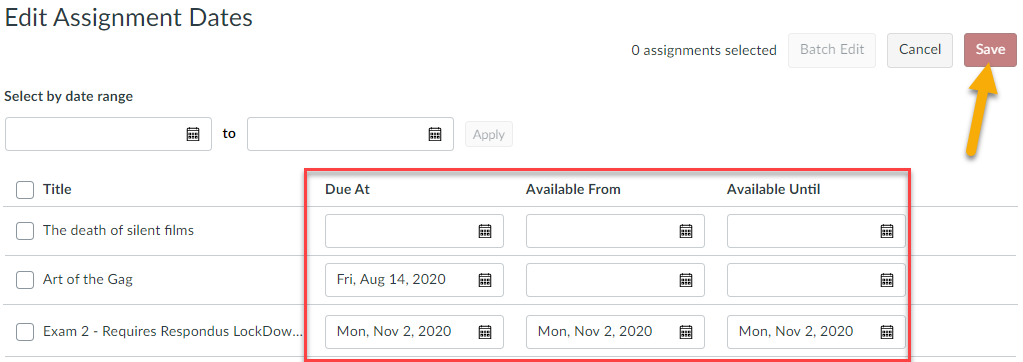
If you imported content from a previous semester or added a list of assignments in your course for which you have not yet set due dates, there are two ways you can quickly adjust due dates for all of your assignments at once: Under the Assignments tab and by using Design Tools. 

Under the Assignments Tab

When you click on Assignments from your course menu, you will see an Options icon of three dots that when you click on will expand with additional options. Select the Edit Assignment Dates option.

Then enter or update due dates, availability dates, and until dates as needed and press Save when you are done.

Using Design Tools

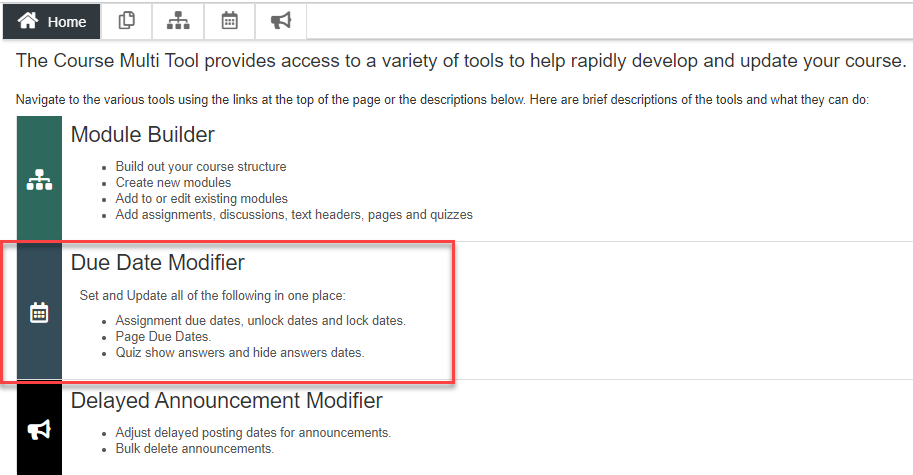
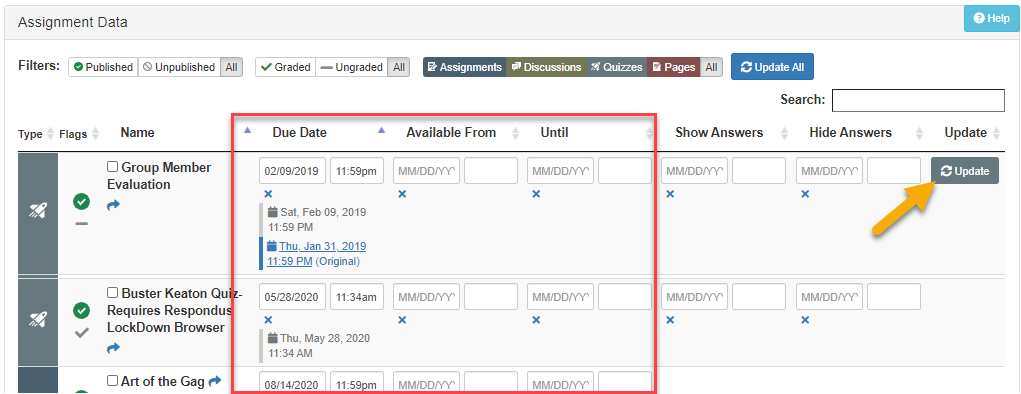
If you enable the Multi-Tool in your course, you can choose to use the Due Date Modifier to enter or update due dates, availability dates, and until dates as needed.

In addition to adding or updating due dates, the Multi-Tool allows you to add or edit the time an assignment is due, and Show/Hide answer options for quizzes. When you are done making changes, press the Update button.

QR code leading to the 2021 Faculty Professional Development Needs Assessment

Faculty Needs Assessment

During Faculty Development Day on August 25, Dr. Jessica Clark, Assistant Provost for Faculty Success, introduced a Faculty Needs Assessment to help shape the future of a new center for faculty innovation and wellness.

We need to hear from as many faculty as possible! Please complete the 2021 Faculty Professional Development Needs Assessment and help shape our future faculty center.

Need Help?

Contact an Instructional Designer.


Review our ID&D Knowledge Base for instructional software how-tos and pedagogical best practices. (SU Login required).


You can also search the IT HelpDesk Knowledge Base, such as for information about Zoom and Office 365.

Can't find the information you need in the Knowledge Base?


Please use the I Need Help? option to submit a Help Request in the ID&D Support Center.


Drop into our Virtual Office Hours:
Monday-Friday, 8 a.m.-4:30 p.m.


Visit & Follow Us

ID&D Office: 

Guerrieri Academic Commons, Room 220


Office Hours: 

Monday-Friday - 8 a.m.-4:30 p.m.


Faculty Studio

Guerrieri Academic Commons, Room 221


Department Information:

W: www.salisbury.edu/instructionaldesign

E: suidd@salisbury.edu

P: 410-677-6585

View Online


url    youtube
Salisbury University Logo

SU is an Equal Opportunity/AA/Title IX university and provides reasonable accommodation given sufficient notice to the University office or staff sponsoring the event or program. For more information regarding SU’s policies and procedures, please visit www.salisbury.edu/equity.