Salisbury University |  Instructional Design & Delivery Newsletter | August 30, 2022

2022-2023 Faculty Learning Communities

A Faculty Learning Community (FLC) is a cross-disciplinary faculty and staff group of 8 to 12 members engaging in an active, collaborative program with a curriculum about enhancing teaching and learning, and with frequent seminars and activities that provide learning, development, interdisciplinary efforts, the scholarship of teaching and learning, and community building.


The 2022-2023 Faculty Learning Communities are:

  • Academic Caregiver Exchange of Salisbury University (ACES)
  • Alternative Grading
  • Ethics Across the Curriculum
  • Going Back to Grade School 101!
  • Green Diversity (Spring 2023 Only)
  • Health Humanities
  • Intentional Universal Design for Equity and Inclusion
  • Interdisciplinary Teaching and Research
  • Leading the Lead 3.0
  • Scholarship of Teaching and Learning (SoTL)
  • Slow Professor Reading Club (Fall 2022 Only)
  • SU Long-Haulers: Community of Professors
  • Teaching with International Students (TwINS)
  • Ward Museum
 

To join an FLC, please visit the 2022-2023 FLC website for the community description and to contact the facilitators of the desired community.

FDD Celebrates Engagement and Self-Care

A grid of 6 photos showing Faculty Development Day participants  doing yoga, sound therapy, meditation, and listening to Heidi Fritz as she presents her keynote speech.

Photo Credit: Charles Brown, ID&D


Over 150 faculty and staff participated in this year's Keeping the Balance: Engagement and Self-Care Faculty Development Day (FDD) event on August 24. Highlights included:

  • Yoga, sound therapy and meditation sessions
  • Dr. Heidi Fritz's keynote on "Coming Out of Challenging Times: Reclaiming Our
    Health and Focus Post(?)-Pandemic"
  • Engaging discussions on topics such as family care, community engagement and faculty re-engagement.
 

Thank you to the organizing team of the Faculty Development Committee (Belen Vicens Saiz, Meghan East, Lisa Marquette, Rachel Steele, Jessica Clark, Melissa Thomas) and ID&D (Brianna Bowen, Haley Cristea, Safaa Said, Karen Silverstrim)!

Health & Wellness Video/Song Challenge Playlist

During breakfast at the Faculty Development Day, participants were entertained and challenged to identify the song titles and artists of music associated with health and wellness. Congratulations to the following team of School of Nursing faculty who won with a score of 32: Kayna Freda, Angela Messick, Annette Manson, Rachel Weber, Ali Toepfer, Mary DiBartolo, Teena Milligan and Jenn Hart.


Listen to the Health & Wellness SUFDD2022 playlist on Spotify for all the songs included in the challenge.

Engaging Your Students From the Start

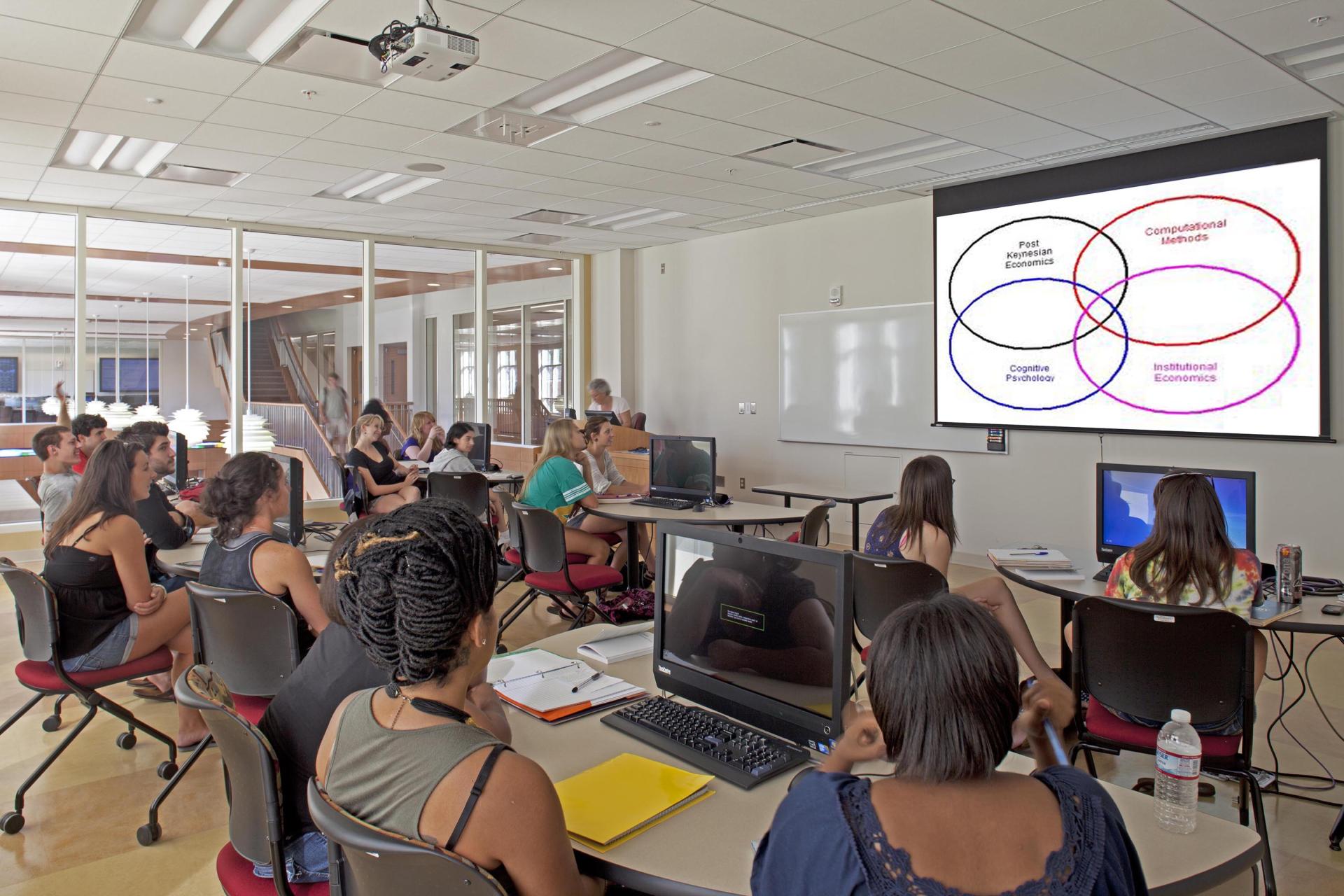
Students in a Perdue Hall classroom looking at a PowerPoint presented by an instructor.

Classroom Climate: Building a positive classroom climate begins with you, the instructor. Plan an activity early in the semester to allow students to get to know you as well as other students in the course. Fostering an environment with personalization and student cohesiveness increases student satisfaction and positively effects learning. 


Give Students a Reason To Be in Your Course:While many students may register for your class for their personal interest, others may end up in your class without understanding the value of what your course has to offer. The beginning of the semester is the ideal time to help students understand why your course is important and how the content will be relevant to them so that they are excited to spend time and effort in your course.


Set Expectations: It is important to communicate and clearly present all types of expectations in the online course, including what you expect from the students, what students can expect from you, time commitment for pacing work and etiquette guidelines for communication. 


Examples to implement in your course can be found in the Engaging Your Students From the Start article in the ID&D Knowledgebase (SU Login required).

Notice and Support for Students with Dependents

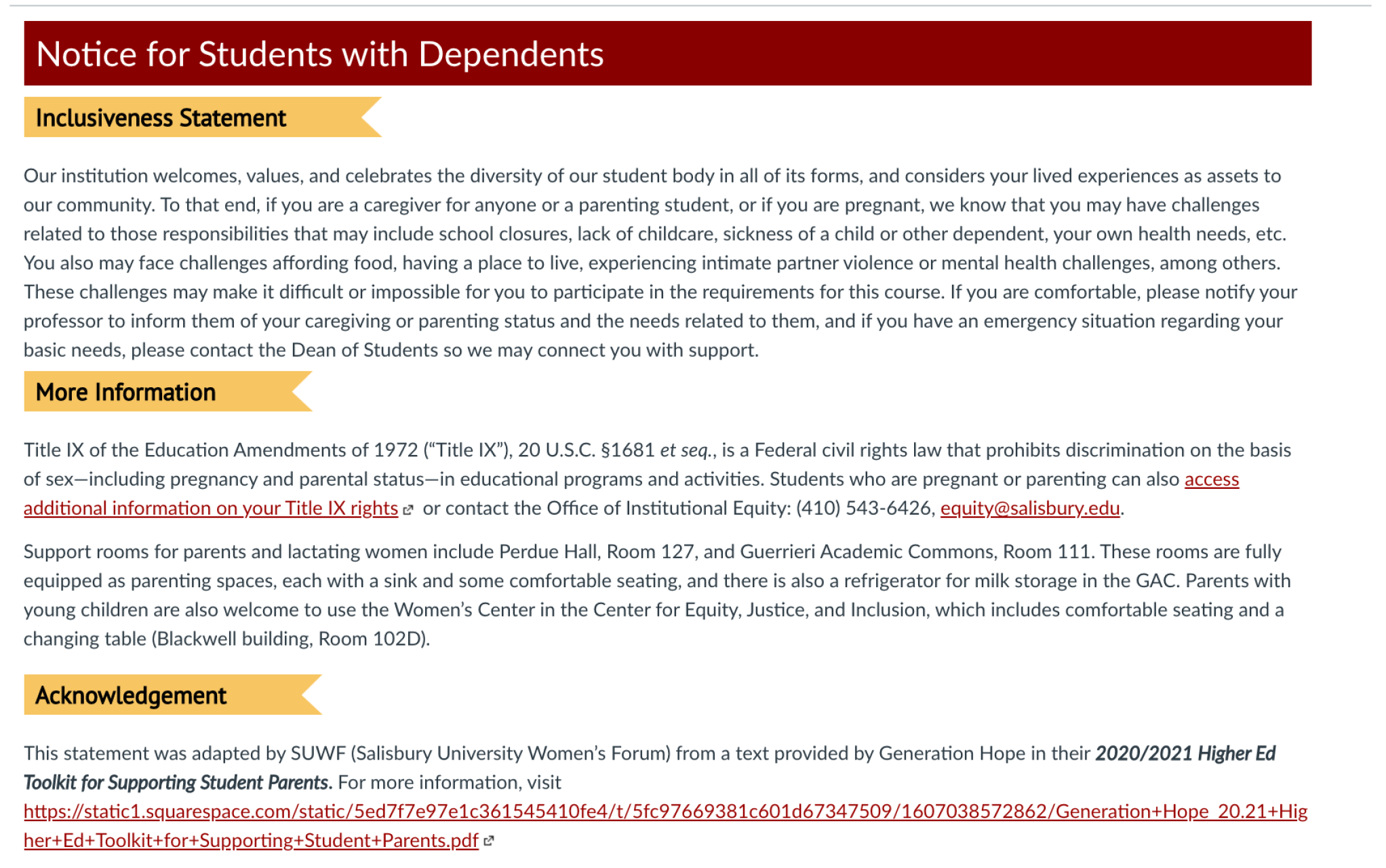
The SUWF Notice for Students with Dependents (as a suggested syllabus statement) is  available as a page that you can easily important to your courses via MyClasses. To "Import from Commons," you can use the instructions in the Canvas Commons knowledgebase article

Notice for Students with Dependents knowledgebase article snapshot.

PointSolutions (New Name for TurningPoint)

TurningPoint has a new name - PointSolutions. Faculty, staff and students using TurningPoint will see the new name when logging into their account as well as when using the app on their mobile devices. Beyond this rebranding, the use of the audience response system is the same as previous semesters.


Point solutions powered by echo 360

New in MyClasses - For Fall 2022

Canvas (the company behind MyClasses) is consistently updating its features to meet the needs and requests of educators and students alike. Such requests have led to a redesign of the students' view and access to submission details, the ability for anonymous discussion posts, and enhanced filters in the Gradebook. Students also have the ability to export content to ePub for viewing content offline.

Student Assignment Enhancements

Previously, students were only able to see their most recent submission and feedback on an assignment in MyClasses.

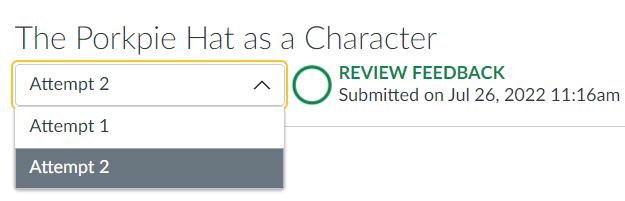
Dropdown menu showing two submission attempts to choose from.

Now, students are able to see all previous submissions to the assignment, as well as feedback left on each submission attempt. This is useful for those who allow students to resubmit an assignment more than once for feedback and revision during a course or for those who wish to create a recurring assignment that students submit updates to throughout the semester. This video tip about Reviewing Instructor Feedback demonstrates how students can view feedback on multiple attempts; you can share it with your students for guidance!


Note: This feature is not currently compatible with Peer Reviews; at this time, only the most recent submission attempt and feedback will be available to students who have submitted multiple attempts for a Peer Review assignment.

Discussions/Announcements Redesign - Anonymous Discussion Posts

If you have enabled and are using the Discussions/Announcements Redesign feature in your course, you will have a new option in your Discussion settings that allow you to make discussion posts anonymous. By default, student names and profile pictures display in discussions (the Off setting shown below). To enable anonymous discussions and hide student names and profile pictures, select the click the option the enable anonymous discussion. Then you can choose to the anonymity level you would like to allow students, either Partial, where students can choose whether or not to display their name and profile picture with their post, or Full, where student names and profile pictures will be hidden.

Anonymous Discussion option in Discussion Settings, with selection buttons for either "Off, Partial, or Full"

Note: Anonymous discussions are not compatible with graded or group discussions.

Enhanced Gradebook Filters

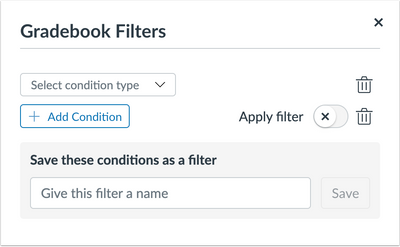
Enhanced filters are available in the Canvas gradebook that allow you to create filters that can be saved or used one time. This provides you the opportunity to personalize filters using specific parameters you need to reference or track frequently.

The gradebook filter option with a dropdown menu to select a condition type and add conditions to the type.

You can create a custom filter by selecting condition types (Assignment Group, Module, Section, Student Group, Grading Period, Submission, Start Date and End Date) and conditions to each condition type. Once you have set up the filter, you can give it a name for future use. 


To enable this feature for your course, click on Settings, then Feature Options. Find the Enhanced Gradebook Filters feature option and click the X to open a dropdown menu to enable the feature. For more information, review the Canvas article about creating your own gradebook filter.

ePub Exporting 

ePub exporting has been enabled as an option for you to turn on in your course. If you turn on the ePub exporting option in your course, this will allow users to download and view your course offline as an ePub file. Enabling this feature for you course can support access to course materials for students with limited internet availability. However, ePub content is for offline viewing only; users cannot interact with course content directly, such as completing an assignment or viewing any submissions. Any files that aren't supported in the ePub format, such as file attachments or PDFs, can be downloaded to be viewed in the file's native environment.


To enable this feature in your course, click on Settings, then Feature Options. Find the ePub Exporting feature option and click the X to open a dropdown menu to enable the feature. You can enable and disable the feature in your course as needed.

The enable/disable menu in the ePub Exporting feature option under course settings with the option Enabled.

For more information about ePub exports, please view the Canvas guide to either learn about it from an instructor perspective or student perspective.

Faculty Friday - September 9

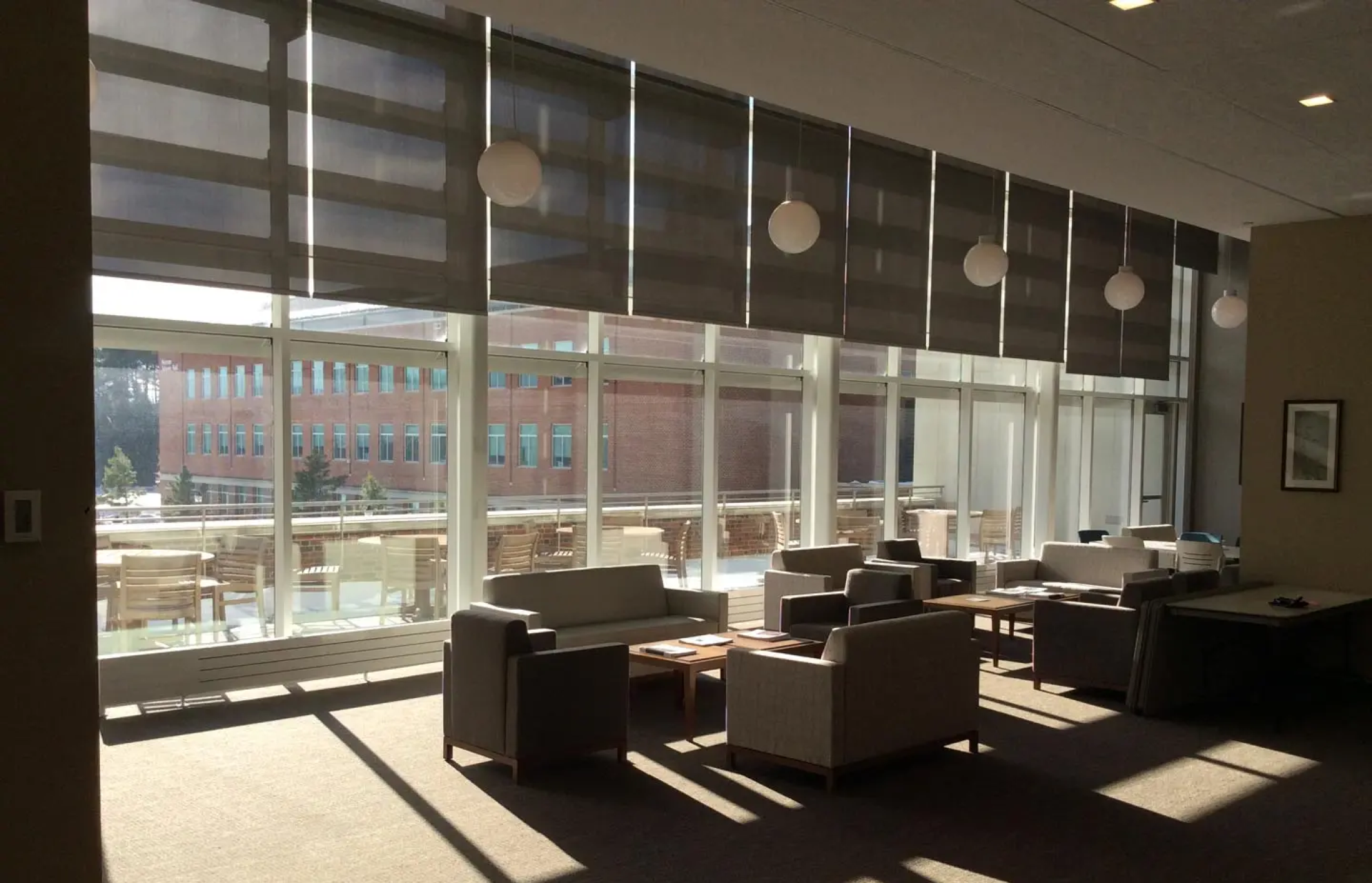
Tables and chairs arranged by windows in the faculty lounge


Join your colleagues for a relaxed social event! Faculty Fridays are a chance to relax and get to know other faculty a bit better; appetizers and drinks are provided. The first Faculty Friday this year is September 9, 4-6 p.m., in the Dudley-Eshbach Faculty Center, Guerrieri Academic Commons 230.


RSVP by Sunday, September 4, if you plan to attend. Facilitators from the 2022-2023 Faculty Learning Communities also are invited to share about their FLCs.

Need Assistance?

Ways to get help:

♦ Search our ID&D Knowledge Base

♦ Submit a Help Request

♦ Contact your Instructional Designer 

♦ Schedule a Virtual Appointment

Visit & Follow Us

Department Information:

W: www.salisbury.edu/instructionaldesign

E: suidd@salisbury.edu

O: Guerrieri Academic Commons, 220

P: 410-677-6585

View Online

Instructional Design and Delivery Youtube
Instructional Design and Delivery Twiiter
Instructional Design and Delivery Workshop Calendar