Salisbury University |  Instructional Design & Delivery Newsletter | September 9, 2025

Instructional Design and Delivery: News and Events
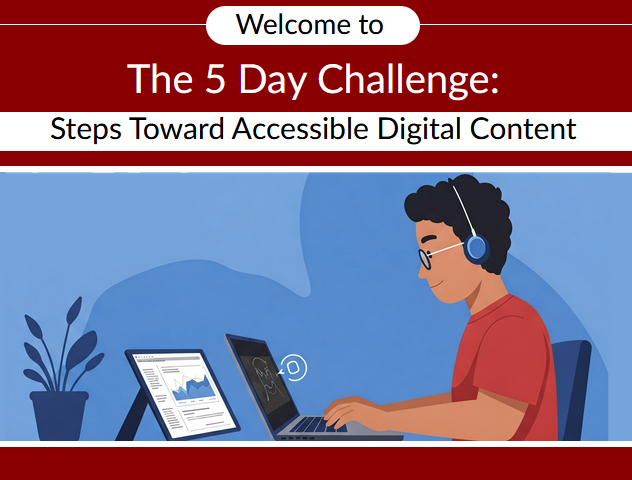
The 5-Day Challenger course home screen

Digital Accessibility Advocate

Learn the 6 Essential Steps to Digital Accessibility in SU's self-paced 5-Day Challenge and become a digital accessibility advocate. We will be traveling the campus with a special "idol" to recognize individuals in various units who have earned the advocate credential. 

Join the Challenge course

Recognizing Digital Accessibility Advocates

Profile pictures of Jennifer Martin, Jennifer Schermerhorn, Nathan Hartman, Jalesa Hull, and Lindsey Ward

In April 2025, the university launched its digital accessibility campaign. Congratulations to the following for being the first in their units to earn the Digital Accessibility Advocate microcredential.


  • Jennifer Martin, SU Libraries
  • Jennifer Schermerhorn, School of Social Work
  • Nathan Harman, Communication
  • Jalesa Hull, Office of Access and Accommodations
  • Lindsey Ward, Career Services
 

USM Digital Accessibility Remediation Sprints

The University System of Maryland (USM) is hosting a series of monthly Digital Accessibility Remediation Sprints. Hosted on Zoom, the Sprints are a cornerstone of the USM Digital Accessibility Initiative that is underway this academic year to help all USM schools meet the April 2026 Title II compliance date for fully accessible digital content and platforms. These sessions are open to all Maryland Higher Education colleagues, including faculty, staff, administrators, and teaching/graduate assistants.


Each month, a Sprint will delve into one of the 6 Essential Steps for Digital Accessibility. These Remediation Sprints will take place on Mondays between 2-3 pm ET. The Sprint will include a brief overview of that month’s step, followed by active work time to remediate your own documents.


Below is the Remediation Sprint schedule for 2025-2026:


Practice & Play: AI-Enabled Learning Activities

Instructional Design & Delivery (ID&D) will be hosting a series of hands-on workshops that give you the opportunity to explore AI tools for specific purposes. Designed to help you integrate emerging tools into your teaching practice, each session focuses on practical, adaptable strategies for enhancing activities you already use—making your courses more engaging, efficient, and future-ready. No prior experience with AI is required—just curiosity and a willingness to experiment. Register for these sessions in the Faculty Development Calendar.


Sept 24, 1:30 – 2:30 Workshop 1: Smarter Studying Starts Here. AI-Enabled Study Buddies

Kick off your course with AI-powered support tools that help students succeed from day one! In this hands-on session, explore two approaches to building effective AI study tutors: guide students in creating their own AI Study Buddies, or design a custom AI Tutor using selected materials. Walk away with ready-to-use prompts, strategies, and ideas to boost student engagement and self-directed learning.

Microsoft Teams Update in MyClasses

The Teams Classes LTI and Teams Meetings LTI tools in MyClasses are being replaced as part a tool consolidation plan by Microsoft. If you have either Teams Classes or Teams Meetings enabled in your fall 2025 course, you will see a message warning you that these tools, and the meetings created within the old Teams tool, will cease to function on September 15, 2025.


You will find a new tool in MyClasses named Microsoft Education that you can enable in your course navigation today, where you can set up new Teams Meetings or Teams Classes, if needed. Review the Enabling Microsoft Teams Meetings in MyClasses using Microsoft Education article for more information about creating Teams meetings in this new tool.

The Microsoft Education tool homepage with the option to open Teams Meetings or Teams (Classroom)

This is phase 1 of the tool consolidation plan. In January 2026, all other Microsoft tools in MyClasses (OneDrive, OneDrive Assignments, and Class Notebook) will be consolidated under this new Microsoft Education tool.

Need Assistance?

Ways to get help:

♦ Search our ID&D Knowledge Base

♦ Submit a Help Request

♦ Contact your Instructional Designer 

♦ Schedule a Virtual Appointment

Visit & Follow Us

Department Information:

W: salisbury.edu/instructionaldesign

E: suidd@salisbury.edu

O: Guerrieri Academic Commons, 220

P: 410-677-6585

Instructional Design and Delivery YouTube
Instructional Design and Delivery  X (formerly Twitter)
Instructional Design and Delivery Workshop Calendar
Salisbury University Logo

SU is an Equal Opportunity/AA/Title IX university and provides reasonable accommodation given sufficient notice to the University office or staff sponsoring the event or program. For more information regarding SU's policies and procedures, please visit www.salisbury.edu/equity.


View Online